



Black Friday is here
30% OFF STOREWIDE
Use the code at checkout. Cannot be combined with other discounts.
-

-
 A closer viewShown in Sunglass Shade
-

-

-

-

-

Energy essentials / Made to move
AI Smart Glasses with Bluetooth Audio
AI Smart Glasses with Bluetooth Audio
Regular price
€27,95
Regular price
Sale price
€27,95
Unit price
per
Couldn't load pickup availability

AI Smart Glasses with Bluetooth AudioSunglass Shade€27,95


AI Smart Glasses with Bluetooth Audio
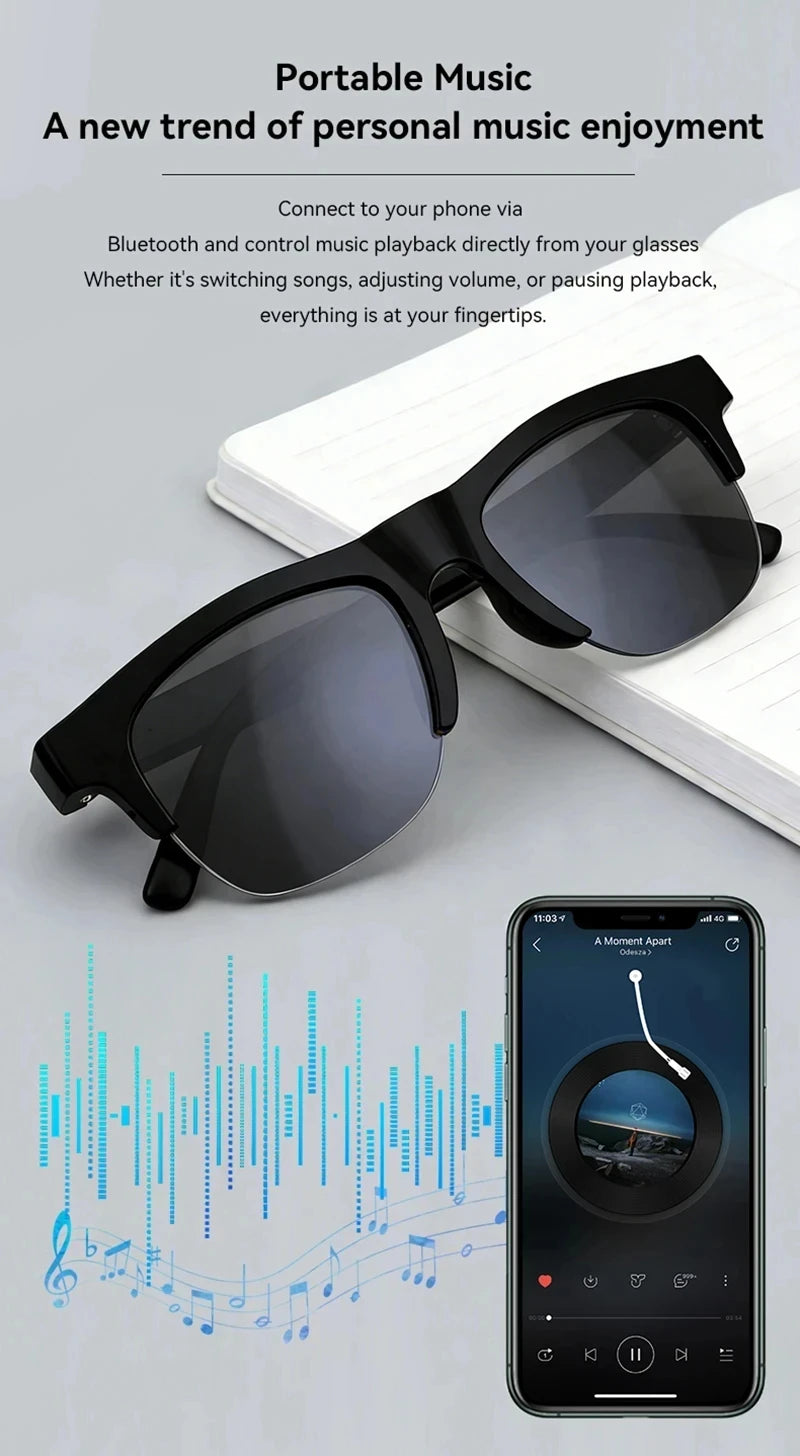
Keep your music, calls and phone’s voice assistant close while leaving your hands free. These lightweight browline glasses combine built-in speakers and a microphone with Bluetooth connectivity for everyday walks, commuting and relaxing.
Music without holding your phone
Pair the glasses with a compatible iPhone or Android phone to hear music, podcasts and other audio through speakers built into the arms. The open-ear design leaves your ears uncovered. Playback comes from your connected phone and the audio apps you already use.

Hands-free calls
A built-in microphone and speakers let you answer and finish calls from the glasses while your paired phone handles the connection. The supplier’s controls show a short press to answer or end a call and a long press to reject an incoming call. Keep your phone nearby and within its Bluetooth range.

Your phone’s AI and voice assistant
Use the glasses to activate your compatible phone’s supported voice assistant for voice commands, questions and other assistant features. The supplier shows holding the control for about two seconds to wake the assistant. Available AI functions depend on your phone, its assistant, settings and internet connection; the glasses act as the audio and microphone connection.

Control music and take phone photos
The supplier lists touch controls for playing or pausing audio and changing tracks. Remote shutter control works with the camera on your paired phone: open the phone’s camera and use the glasses’ supported double-tap control. The camera stays on your phone.
Choose your lens look
- Sunglass Shade: a black browline frame with dark lenses.
- Clear Lens: the same browline design with clear lenses.
Both choices are the glasses themselves. The cable-only accessory is excluded from this listing.
Getting started
- Charge the glasses with the supplied cable and a suitable 5V USB power adapter.
- Turn them on, then open Bluetooth settings on your phone and select the glasses.
- Allow the permissions needed for calls and your phone’s assistant. Start audio or open the phone camera before using the related controls.
Charging cable included. A phone and USB power adapter are not included. Actual playback time depends on volume, calls and use. Wipe the frame and lenses with a soft, lint-free cloth and store them safely when not in use.
California warning: Cancer and reproductive harm (DEHP). www.P65Warnings.ca.gov.
A closer look
Build your everyday rotation
Complete your kit.
Choose a color and size for each item. Add your favorites together in one step.

Customer reviews
What customers are saying.
See the fit and read their experiences.